Modeling
Prepare Simulink model for hardware connection, and add blocks to support NVIDIA hardware.
Blocks
| ALSA Audio Capture | Capture audio from sound card using ALSA |
| ALSA Audio Playback | Send audio to sound card for playback using ALSA |
| Audio File Read | Read audio frames from an audio file |
| Camera | Capture video from a USB or CSI camera connected to the NVIDIA target |
| Network Video Receive | Receive video from a network RTP or IP camera RTSP stream (Since R2021b) |
| SDL Video Display | Display video on a monitor connected to the NVIDIA target |
| Video Read | Read video frames from multimedia file on NVIDIA target (Since R2024a) |
| Video Send | Send video stream to remote hardware (Since R2023b) |
| GPIO Read | Read logical state of an input pin (Since R2021b) |
| GPIO Write | Set logical state of an output pin (Since R2021b) |
| CAN Receive | Receive messages from the controller area network (CAN) bus (Since R2021b) |
| CAN Transmit | Transmit messages on the controller area network (CAN) bus (Since R2021b) |
| Serial Read | Read data from serial port |
| Serial Write | Write data to serial port |
| SPI Register Write | Write to register of SPI device connected to NVIDIA Jetson board (Since R2026a) |
| SPI Register Read | Read from register of SPI device connected to NVIDIA Jetson board (Since R2026a) |
| SPI Controller Transfer | Write to and read from SPI device connected to NVIDIA Jetson board (Since R2026a) |
| MQTT Publish | Publish messages to MQTT broker on specified topic (Since R2023a) |
| MQTT Subscribe | Receive messages from the MQTT broker for specified topic (Since R2023a) |
| Modbus TCP/IP Client Read | Client device reads data from server device register(s) over TCP/IP network (Since R2022a) |
| Modbus TCP/IP Client Write | Client device writes data to server device register(s) over TCP/IP network (Since R2022a) |
| Modbus TCP/IP Server Read | Server device reads data from server device register over TCP/IP network (Since R2022a) |
| Modbus TCP/IP Server Write | Server device writes data to server device register over TCP/IP network (Since R2022a) |
| TCP/IP Receive | Receive data over TCP/IP network from remote host |
| TCP/IP Send | Send data over TCP/IP network to another remote host |
| UDP Receive | Receive UDP packets from UDP host |
| UDP Send | Send UDP packets to UDP host |
Model Settings
Operating system/scheduler
| Base Rate Task Priority | Static priority of model base rate task |
| Detect task overruns | Detection of task overruns in Simulink model running on target hardware |
Board parameters
| Device Address | IP address of hardware board on network |
| Username | Username for Linux operating system on hardware board |
| Password | Password for Linux username on hardware board |
Build options
| Build action | Define how Simulink responds when building models |
| Build directory | Directory in which to build code generated from Simulink models |
| Display | Display to use on NVIDIA board |
CAN
| CAN Bus Speed (kBit/s) | CAN bus speed in kilobits per second (Since R2021b) |
| Allow All Messages | Allow all CAN messages through acceptance filter (Since R2021b) |
| ID Type 1 | CAN message frame format for filter 1 (Since R2021b) |
| Acceptance Mask 1 | Acceptance mask value for filter 1 (Since R2021b) |
| Acceptance Filter 1 | Acceptance filter value for filter 1 (Since R2021b) |
| Inverse Filter 1 | Inverse criterion to pass messages for filter 1 (Since R2021b) |
| ID Type 2 | CAN message frame format for filter 2 (Since R2021b) |
| Acceptance Mask 2 | Acceptance mask value for filter 2 (Since R2021b) |
| Acceptance Filter 2 | Acceptance filter value for filter 2 (Since R2021b) |
| Inverse Filter 2 | Inverse criterion to pass messages for filter 2 (Since R2021b) |
| ID Type 3 | CAN message frame format for filter 3 (Since R2021b) |
| Acceptance Mask 3 | Acceptance mask value for filter 3 (Since R2021b) |
| Acceptance Filter 3 | Acceptance filter value for filter 3 (Since R2021b) |
| Inverse Filter 3 | Inverse criterion to pass messages for filter 3 (Since R2021b) |
| ID Type 4 | CAN message frame format for filter 4 (Since R2021b) |
| Acceptance Mask 4 | Acceptance mask value for filter 4 (Since R2021b) |
| Acceptance Filter 4 | Acceptance filter value for filter 4 (Since R2021b) |
| Inverse Filter 4 | Inverse criterion to pass messages for filter 4 (Since R2021b) |
SPI
| SPI0 CS0 Bus Speed (kHz) | Bus speed for NVIDIA Jetson SPI0 chip select 0 (Since R2026a) |
| SPI0 CS1 Bus Speed (kHz) | Bus speed for NVIDIA Jetson SPI0 chip select 1 (Since R2026a) |
| SPI1 CS0 Bus Speed (kHz) | Bus speed for NVIDIA Jetson SPI1 chip select 0 (Since R2026a) |
| SPI1 CS1 Bus Speed (kHz) | Bus speed for NVIDIA Jetson SPI1 chip select 1 (Since R2026a) |
External mode
| Communication interface | Transport layer for external mode to exchange data between development computer and hardware |
| Run external mode in a background thread | Force external mode engine in generated code to execute in background task |
| Logging buffer size (in bytes) | Buffer size for logging data in Universal Measurement and Calibration Protocol (XCP)-based external mode |
| Port | Port number on hardware board |
| Verbose | Enable view of external mode execution progress and updates in Diagnostic Viewer |
Modbus properties
| Communication Interface | Type of communication interface that blocks use for Modbus communication (Since R2022a) |
| Mode | Modbus mode of operation (Since R2022a) |
| Remote Server IP port number | IP port number of Modbus client device on TCP/IP network (Since R2022a) |
| Local IP port number | IP port number of Modbus server devices on TCP/IP network (Since R2022a) |
| Configure Coils | Configure coil register parameters (Since R2022a) |
| Configure Discrete Inputs | Configure discrete input register parameters (Since R2022a) |
| Configure Holding registers | Configure holding register parameters (Since R2022a) |
| Configure Input registers | Configure input register parameters (Since R2022a) |
| Received timeout (ms) | Maximum time client waits for response from Modbus server (Since R2022a) |
MQTT
| Encryption Type | Encryption protocol to use for MQTT communication (Since R2023b) |
| Broker Address | Address of MQTT broker (Since R2023a) |
| Port | TCP/IP port to use for MQTT connection (Since R2023b) |
| CA Server Certificate Path | Name and location of file containing root certificates (Since R2023b) |
| Username | Username for MQTT broker (Since R2023a) |
| Password | Password for MQTT broker (Since R2023a) |
| Client ID | Unique identifier for client connected to MQTT broker (Since R2023a) |
Topics
- Model Configuration Parameters for NVIDIA Hardware Board
Parameter and configuration options for creating and running applications on an NVIDIA hardware board.
- Open Block Library for NVIDIA Hardware
Locate Simulink block library for NVIDIA hardware.
- Accelerate Simulation Speed by Using GPU Coder (GPU Coder)
Achieve faster simulation for models that contain MATLAB Function blocks.
- Code Generation from Simulink Models with GPU Coder (GPU Coder)
Generate CUDA® code from Simulink models by using GPU Coder™.
- GPU Code Generation for Deep Learning Networks Using MATLAB Function Block (GPU Coder)
Simulate and generate code for deep learning models in Simulink using MATLAB Function blocks.
- GPU Code Generation for Blocks from the Deep Neural Networks Library (GPU Coder)
Simulate and generate code for deep learning models in Simulink using library blocks.
- Connecting and Using USB to Serial Converter with Jetson
Connecting the USB to serial converter to a NVIDIA Jetson™ board.
- Serial Port Mapping for NVIDIA Jetson Boards
Identify the port names for the serial ports on NVIDIA Jetson boards.
- Read and Write Data over Serial Port on NVIDIA Jetson Platforms
This example shows how to use MATLAB® Coder™ Support Package for NVIDIA® Jetson® and NVIDIA DRIVE® to read and write serial data over the UART port on a Jetson board.
- Introduction to MQTT
Basics of the MQTT messaging protocol.
Featured Examples
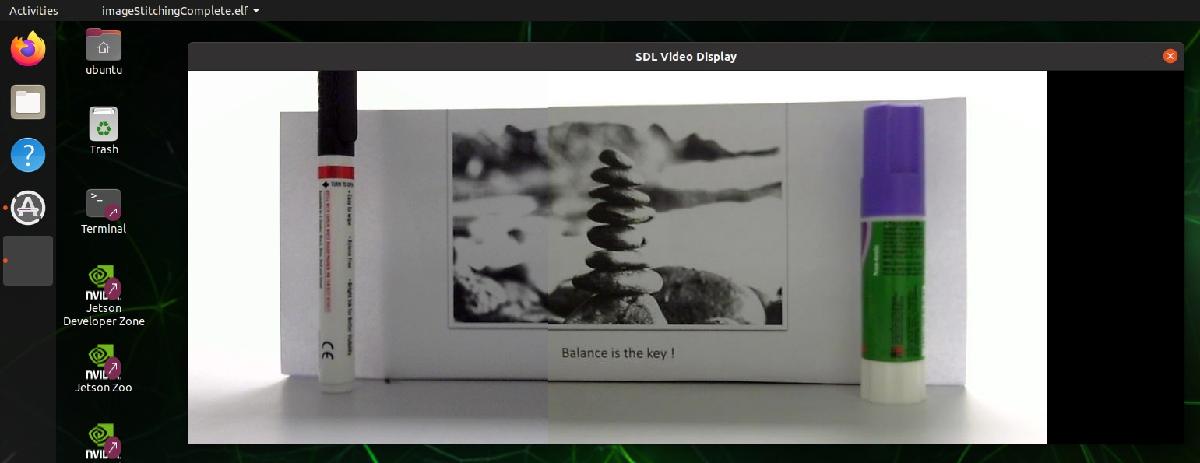
Capture and Stitch Together Images from Multiple Cameras on NVIDIA Jetson
Capture video from two cameras on an NVIDIA Jetson to create a composite image.
Deploy and Classify Webcam Images on NVIDIA Jetson Platform from Simulink
Deploy a Simulink® model on the NVIDIA® Jetson™ board for classifying webcam images. This example classifies images from a webcam in real-time by using the pretrained deep convolutional neural network, ResNet-50. The Simulink model in the example uses the camera and display blocks from the MATLAB® Coder™ Support Package for NVIDIA Jetson and NVIDIA DRIVE™ Platforms to capture the live video stream from a webcam and display the prediction results on a monitor connected to the Jetson platform.
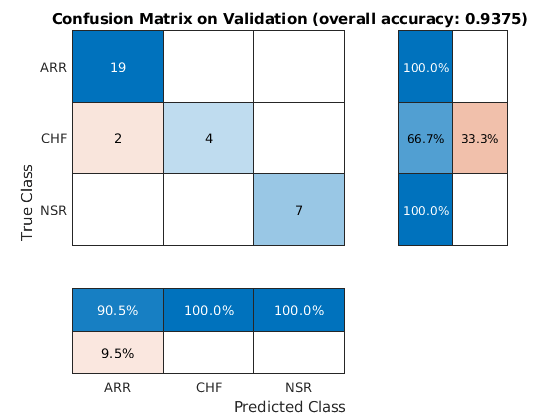
Code Generation for a Deep Learning Simulink Model to Classify ECG Signals
Demonstrates how you can use powerful signal processing techniques and Convolutional Neural Networks together to classify ECG signals. We will also showcase how CUDA® code can be generated from the Simulink® model. This example uses the pretrained CNN network from the Classify Time Series Using Wavelet Analysis and Deep Learning example of the Wavelet Toolbox™ to classify ECG signals based on images from the CWT of the time series data. For information on training, see Classify Time Series Using Wavelet Analysis and Deep Learning (Wavelet Toolbox).
(GPU Coder)
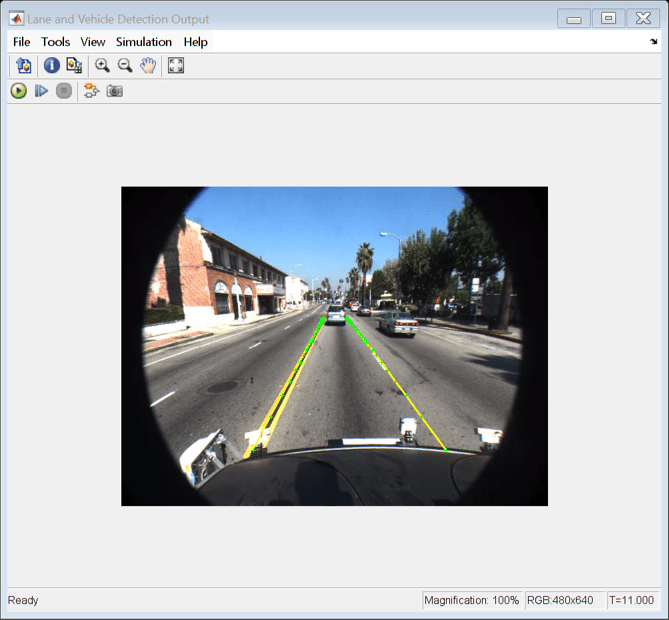
Code Generation for a Deep Learning Simulink Model That Performs Lane and Vehicle Detection
Develop a CUDA® application from a Simulink® model that performs lane and vehicle detection using convolutional neural networks (CNN). This example takes the frames of a traffic video as an input, outputs two lane boundaries that correspond to the left and right lanes of the ego vehicle, and detects vehicles in the frame. This example uses the pretrained lane detection network from the Lane Detection Optimized with GPU Coder example of the GPU Coder™ product. For more information, see Lane Detection Optimized with GPU Coder (GPU Coder). This example also uses the pretrained vehicle detection network from the Object Detection Using YOLO v2 Deep Learning example of the Computer Vision Toolbox™. For more information, see Object Detection Using YOLO v2 Deep Learning (Computer Vision Toolbox).
(GPU Coder)
Deploy Signal Classifier on NVIDIA Jetson Using Wavelet Analysis and Deep Learning
Generate and deploy a CUDA® executable that classifies human electrocardiogram (ECG) signals using features extracted by the continuous wavelet transform (CWT) and a pretrained convolutional neural network (CNN).
(GPU Coder)
CAN Bus Communication on NVIDIA Jetson TX2 in Simulink
Deploy a Simulink® model that uses CAN communication for a deep learning application. The Simulink model in this example uses the CAN Transmit and CAN Receive blocks from the MATLAB® Coder™ Support Package for NVIDIA® Jetson® and NVIDIA DRIVE® Platforms to model a CAN bus system on the Jetson TX2 platform. The model uses the CAN bus to transmit the recognized traffic sign objects in a video frame from one CAN node to another CAN node.
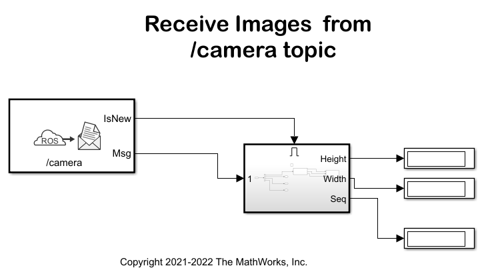
Stream Images from NVIDIA Jetson Xavier NX Using Robot Operating System (ROS)
Stream images captured from a webcam on NVIDIA® Jetson™ Xavier NX board to the host computer using ROS communication interface.

Send and Receive Data over UDP on NVIDIA Jetson Platforms
Use MATLAB® Coder™ Support Package for NVIDIA® Jetson® and NVIDIA DRIVE® to send and receive UDP data over the network on a Jetson board.
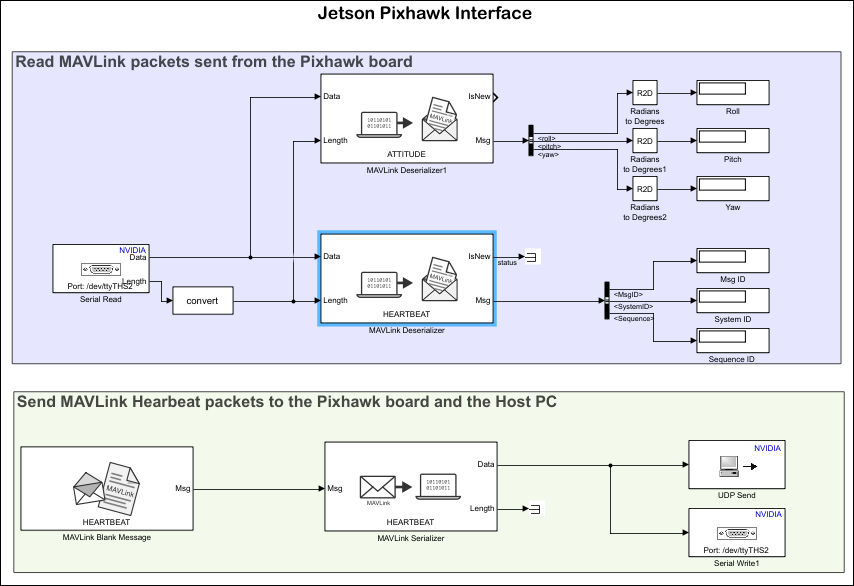
Send and Receive MAVLink Packets on Jetson Boards
Use MATLAB® Coder™ Support Package for NVIDIA® Jetson® and NVIDIA DRIVE® to send and receive MAVLink packets on a Jetson board via serial from a Pixhawk® board.
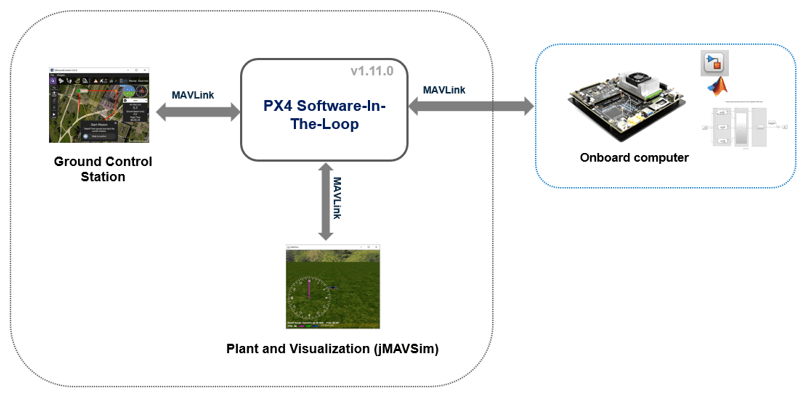
Onboard Computer Path Planning Interface for PX4 SITL Deployable on NVIDIA Jetson
Demonstrates enabling and interfacing onboard computer path planning with PX4® Software-in-the-Loop (SITL).
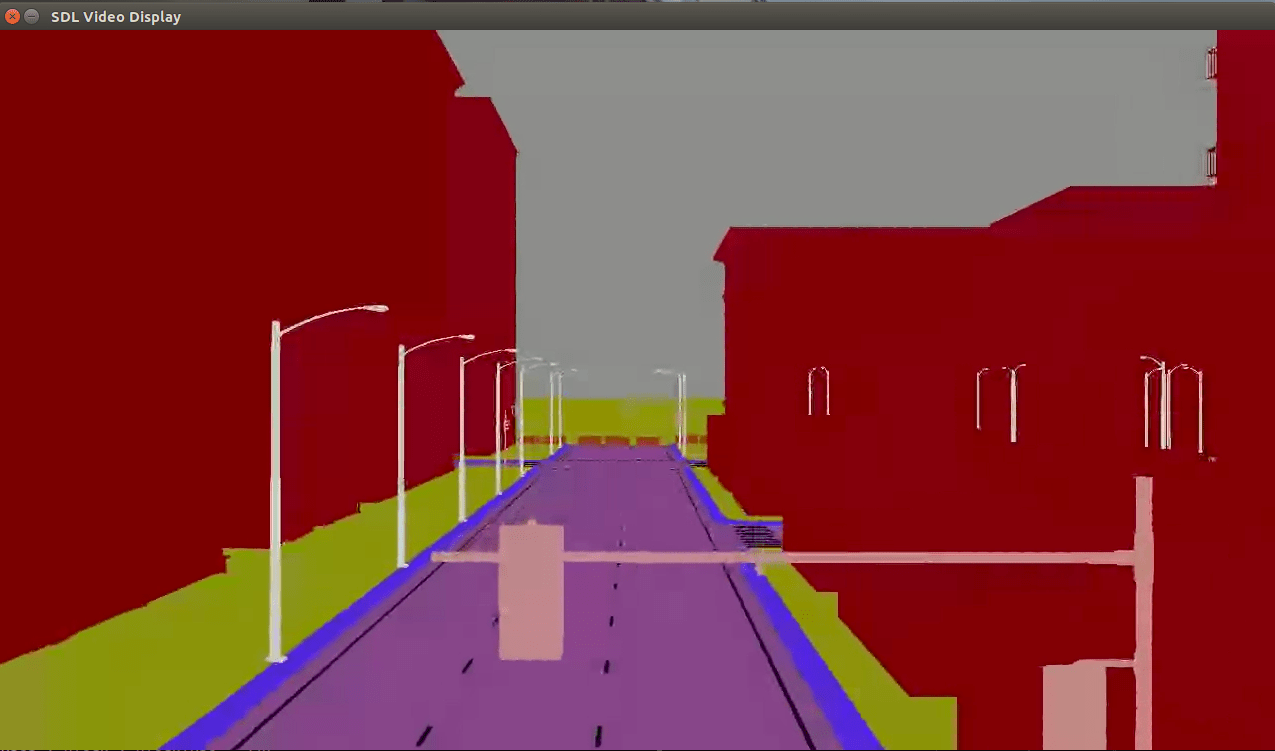
Stream Camera, Depth and Semantic Segmentation Data from Unreal Engine to NVIDIA Jetson
Stream simulated camera, depth, and semantic segmentation label data from an Unreal Engine® scene to NVIDIA® Jetson™ hardware using the Video Send block in Simulink®. It then shows how to visualize incoming data streams on a monitor connected to the Jetson platform, by deploying separate models for each incoming data stream. The deployed models contain the Network Video Receive and SDL Video Display blocks from the MATLAB® Coder™ Support Package for NVIDIA Jetson and NVIDIA DRIVE® Platforms.
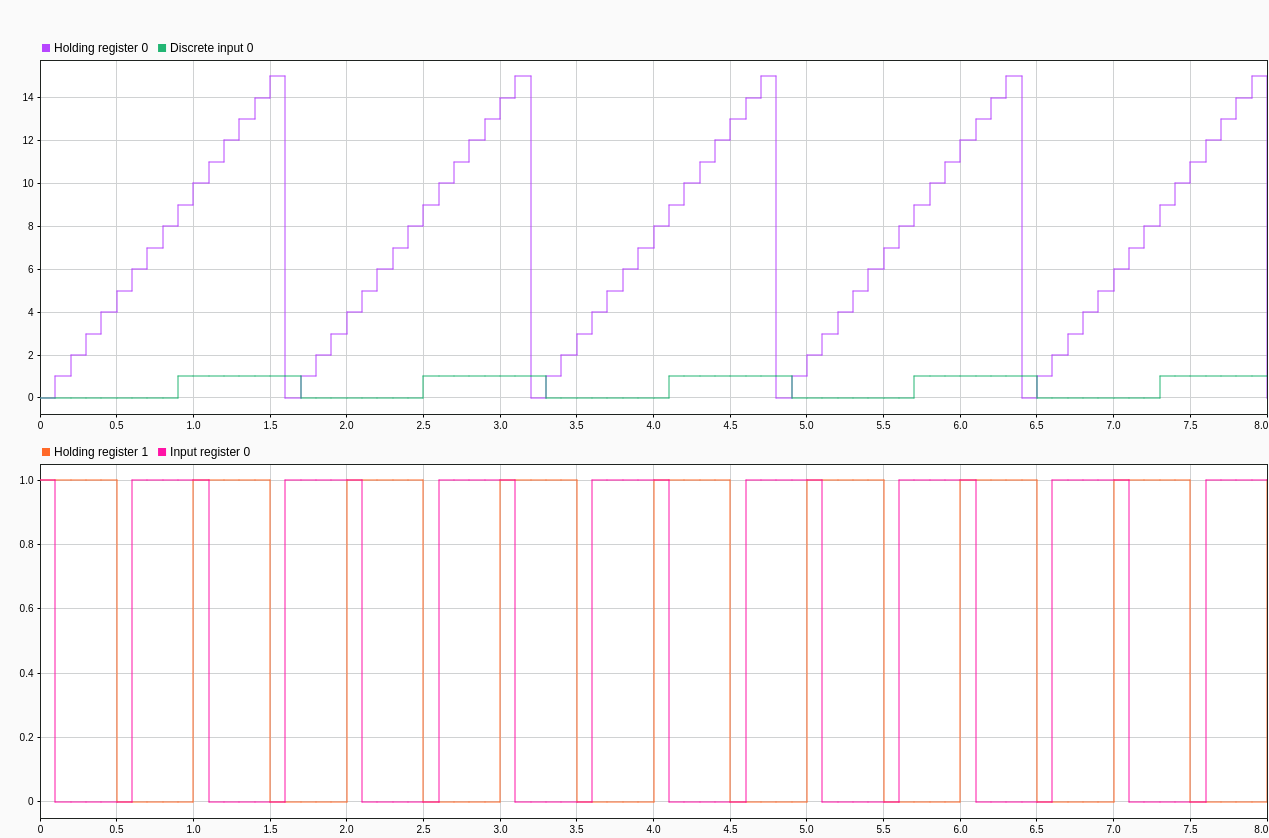
MODBUS TCP/IP Communication Between Client and Server Devices Using NVIDIA Jetson TX2 Hardware
Use the MATLAB® Coder™ Support Package for NVIDIA® Jetson® and NVIDIA DRIVE® Platforms to implement MODBUS® TCP/IP communication between MODBUS client and server devices. It also shows how to communicate between the two devices in four modes of operation, Client Read, Client Write, Server Read, and Server Write.
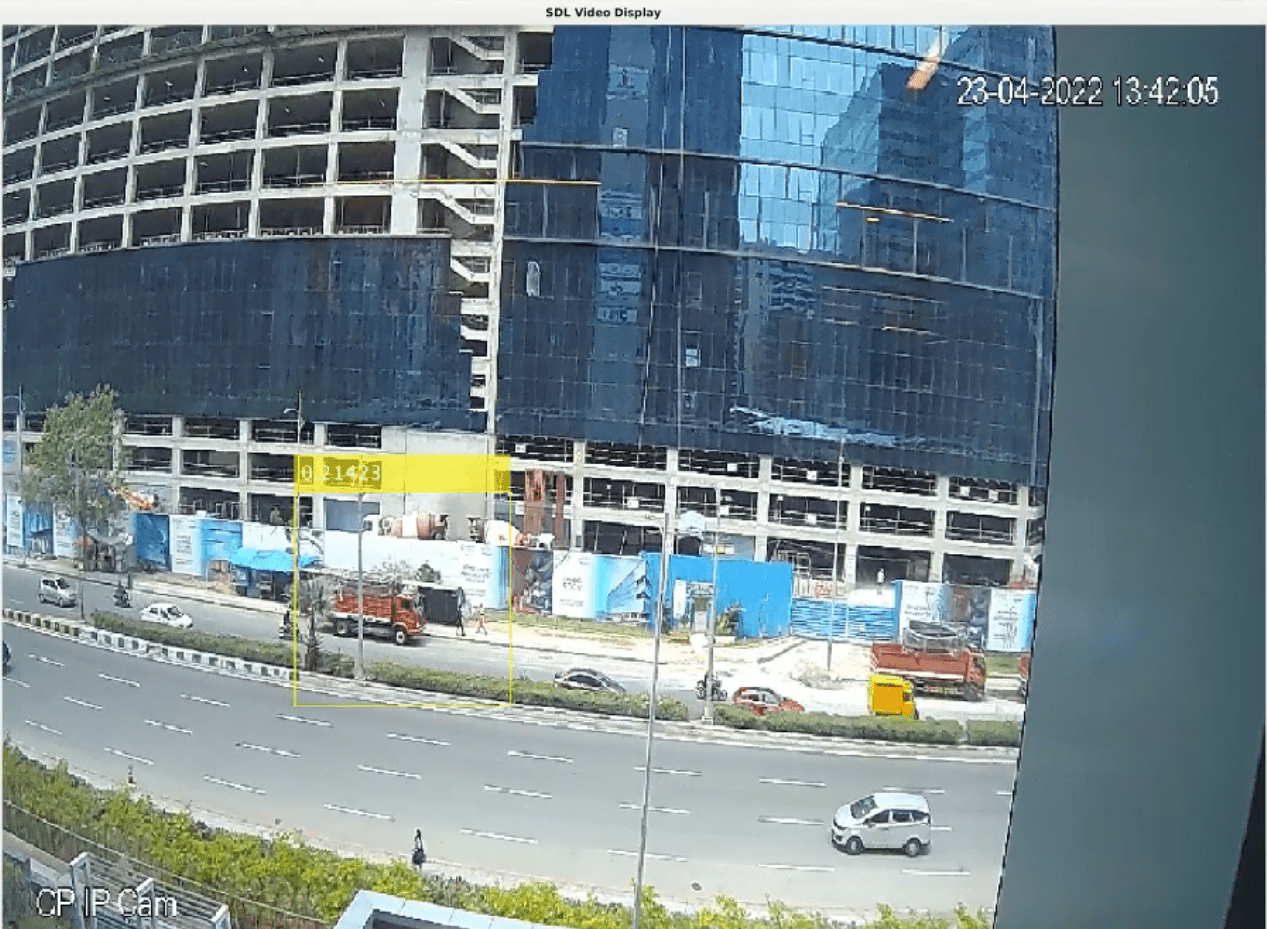
Deep Learning Vehicle Detector from IP Camera Stream on Jetson
Develop a CUDA® application from a Simulink® model that performs vehicle detection using convolutional neural networks (CNN). This example takes the IP camera stream as an input and detects vehicles in the frame. This example uses the pretrained vehicle detection network from the Object Detection Using YOLO v2 Deep Learning example of the Computer Vision Toolbox™. For more information, see Object Detection Using YOLO v2 Deep Learning (Computer Vision Toolbox).
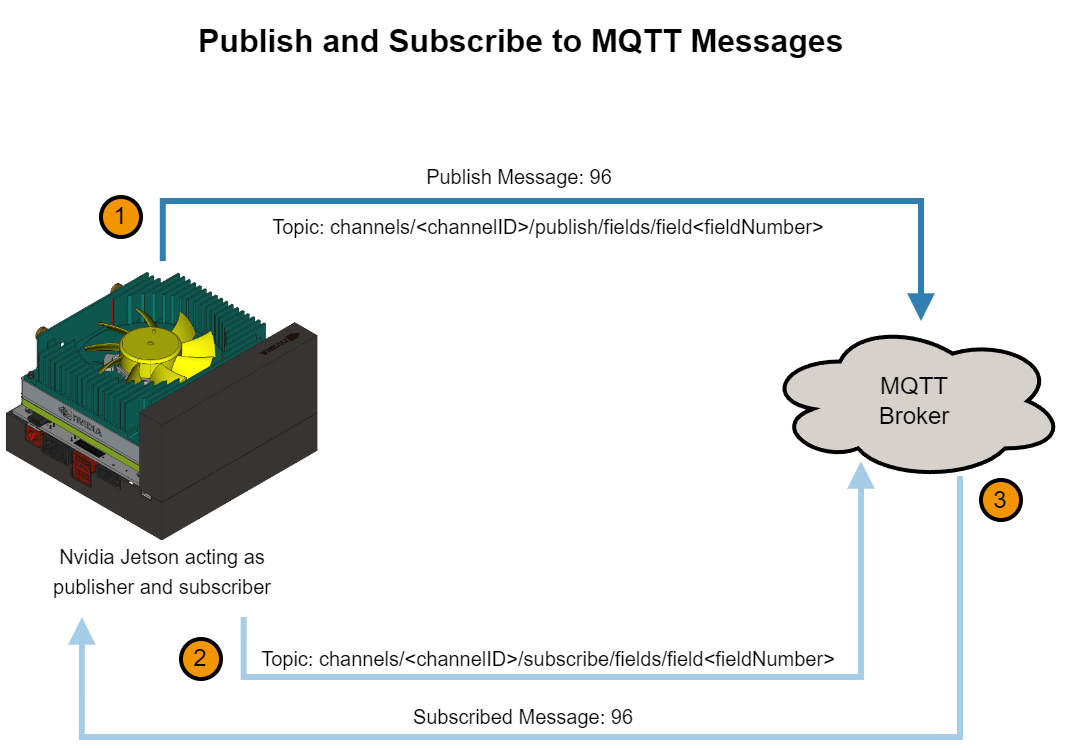
Publish and Subscribe to Messages on ThingSpeak Using MQTT Blocks
Use Simulink blocks to communicate using Message Queuing Telemetry Transport (MQTT) on NVIDIA Jetson or NVIDIA DRIVE®.
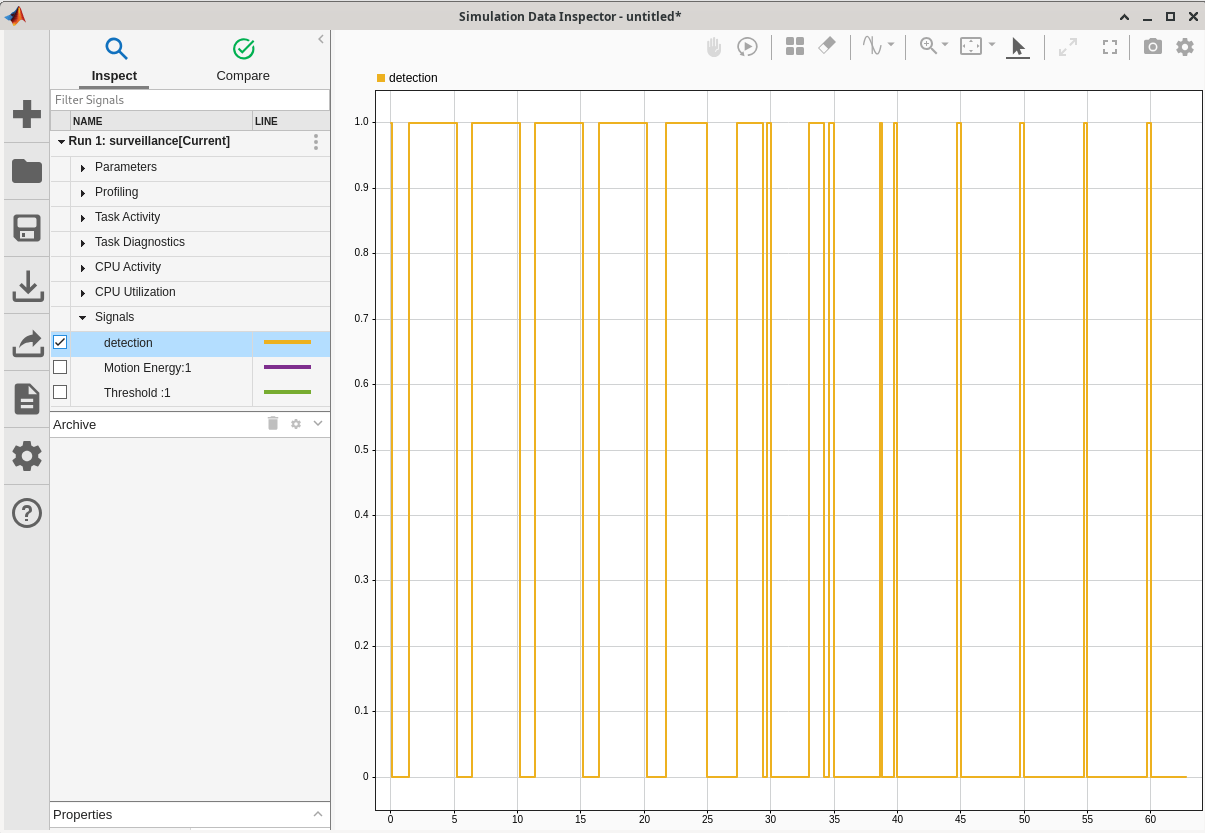
Tune Motion Detection Algorithm Running on NVIDIA Jetson
Monitor and tune a Simulink model that implements a motion detection algorithm.
- Since R2025a
- Open Live Script
MATLAB Command
You clicked a link that corresponds to this MATLAB command:
Run the command by entering it in the MATLAB Command Window. Web browsers do not support MATLAB commands.
Select a Web Site
Choose a web site to get translated content where available and see local events and offers. Based on your location, we recommend that you select: .
You can also select a web site from the following list
How to Get Best Site Performance
Select the China site (in Chinese or English) for best site performance. Other MathWorks country sites are not optimized for visits from your location.
Americas
- América Latina (Español)
- Canada (English)
- United States (English)
Europe
- Belgium (English)
- Denmark (English)
- Deutschland (Deutsch)
- España (Español)
- Finland (English)
- France (Français)
- Ireland (English)
- Italia (Italiano)
- Luxembourg (English)
- Netherlands (English)
- Norway (English)
- Österreich (Deutsch)
- Portugal (English)
- Sweden (English)
- Switzerland
- United Kingdom (English)


