Main Content

createFeed

R2026b

Create feed location for custom antenna

Since R2023b

    Description

    createFeed(antenna) opens an interactive figure window, where you can select the edges for assigning the feed. To specify a region for the feed point, select two points, inside triangles on either side of the air gap or inside triangles that share a common edge. You can interactively add multiple single-edge and multi-edge feed points to the custom antenna or array.

    example

    createFeed(antenna,FeedLocation,NumEdges) creates the feed at the specified location and using specified number of edges.

    example

    createFeed(___,Name=Value) creates the feed with additional options specified by the name-value argument.

    example

    Examples

    collapse all

    This example shows how to create the feed point for a custom antenna in multiple ways.

    Create Feed Edge on Shape

    Create a rectangle with length 2 m and width 0.1 m. Assign it as a shape to a custom antenna.

    r = shape.Rectangle(Length=2,Width=0.1);
    c = customAntenna(Shape=r);

    Create feed at [0 0 0] with number of edges as 1.

    createFeed(c,[0 0 0],1);
    show(c)
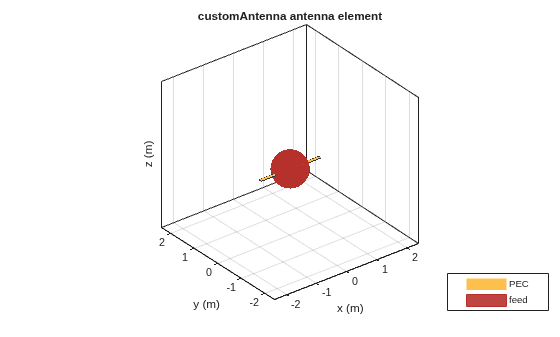
    Figure contains an axes object. The axes object with title customAntenna antenna element, xlabel x (m), ylabel y (m) contains 3 objects of type patch, surface. These objects represent PEC, feed.

    Create Feed Using 2-D Shapes

    Create a waveguide shape.

    wg_height = 0.0102;
    wg_length = 0.024;
    wg = shape.Box(Length=wg_length,Width=0.0229,Height=wg_height);
    removeFaces(wg,3);
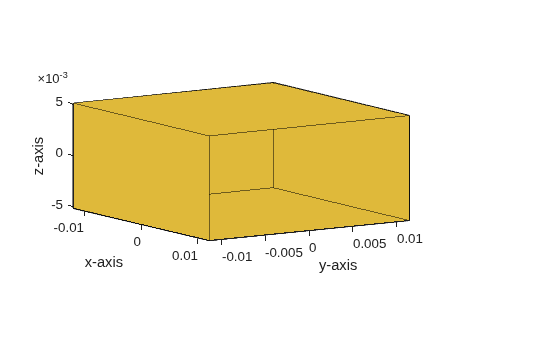
    Figure contains an axes object. The axes object with xlabel x-axis, ylabel y-axis contains 10 objects of type patch.

    Create feed rectangle.

    feedrect = shape.Rectangle(Length = 6e-3,Width = 6.0000e-05);
    offset = -(0.5*wg_length)+6e-3;
    [~] = translate(feedrect,[offset 0 -wg_height/2+(feedrect.Length/2)]);

    Rotate feed rectangle by 90 degrees.

     [~] = rotate(feedrect,90,[offset 0 -wg_height/2+(feedrect.Length/2)],[offset 1 -wg_height/2+(feedrect.Length/2)]);

    Create custom antenna.

    ant = customAntenna(Shape=wg);

    Pass feed location, number of feed edges, and feed shape to create the feed.

    createFeed(ant,[offset 0 -wg_height/2],1,FeedShape=feedrect);
    show(ant)
    view([-24.0 -48.9])
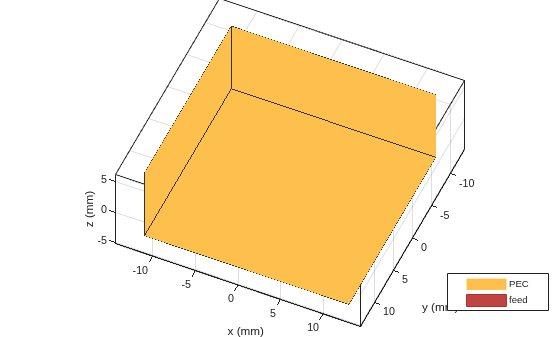
    Figure contains an axes object. The axes object with title customAntenna antenna element, xlabel x (mm), ylabel y (mm) contains 3 objects of type patch, surface. These objects represent PEC, feed.

    Create Multi-Edge Feed

    Create a waveguide shape.

    wg_height = 0.0102;
    wg_length = 0.024;
    wg = shape.Box(Length=wg_length,Width=0.0229,Height=wg_height,Center=[0,0,0.5*wg_height]);
    removeFaces(wg,3);
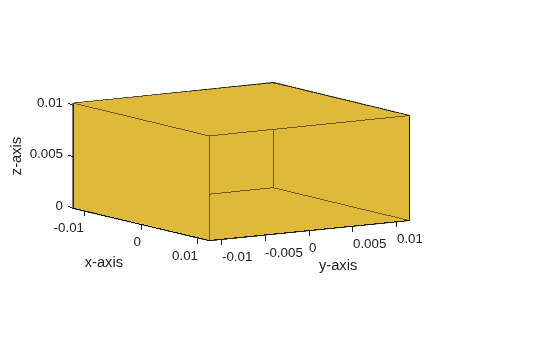
    Figure contains an axes object. The axes object with xlabel x-axis, ylabel y-axis contains 10 objects of type patch.

    Create custom antenna.

    s = shape.Circle;
    s.NumPoints = 6;
    s.Radius = 0.001;
    wg = extrude(wg,s,Height=0.005);
    ant = customAntenna(shape=wg);

    Pass feed location and number of feed edges to create the feed.

    createFeed(ant,[0 0 0],6);
    show(ant)
    view([-19.3 -18.8])
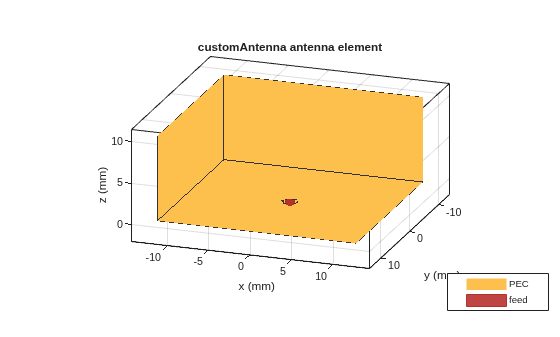
    Figure contains an axes object. The axes object with title customAntenna antenna element, xlabel x (mm), ylabel y (mm) contains 3 objects of type patch, surface. These objects represent PEC, feed.

    Input Arguments

    collapse all

    Custom antenna to create the feed, specified as a customAntenna object.

    Example: customAntenna(Shape=shape.Custom3D)

    Locations of the feed points, specified as a N-by-3 matrix of Cartesian coordinates in meters. N represents the number of feed points. See Feed Model for more details on the feed.

    Example: [0 0 1]

    Example: [0.01 -0.0065 2e-3;0.045 -0.0065 2e-3]

    Data Types: double

    Number of edges for the feed, specified as a 1-by-N vector of positive integers. N represents the number of feed points.

    Example: 2

    Example: [1 1]

    Data Types: double

    Name-Value Arguments

    collapse all

    Specify optional pairs of arguments as Name1=Value1,...,NameN=ValueN, where Name is the argument name and Value is the corresponding value. Name-value arguments must appear after other arguments, but the order of the pairs does not matter.

    Example: FeedShape=shape.Rectangle

    Shape of feed, specified as a shape object.

    Example: shape.Rectangle

    Version History

    Introduced in R2023b

    expand all