Execution Time
R2026bOutput total execution time in Run in Kernel mode or Priority mode
Execution Time block

To add a block to a model, double-click the canvas and start typing the block name. Then, select the block from the list.
Libraries:
Simulink Desktop Real-Time /
Target Profiling
Description
The Execution Time block outputs the execution time in Run in Kernel mode or Priority mode.
In Connected IO mode, this block does not perform any action. It outputs zeros.
Examples
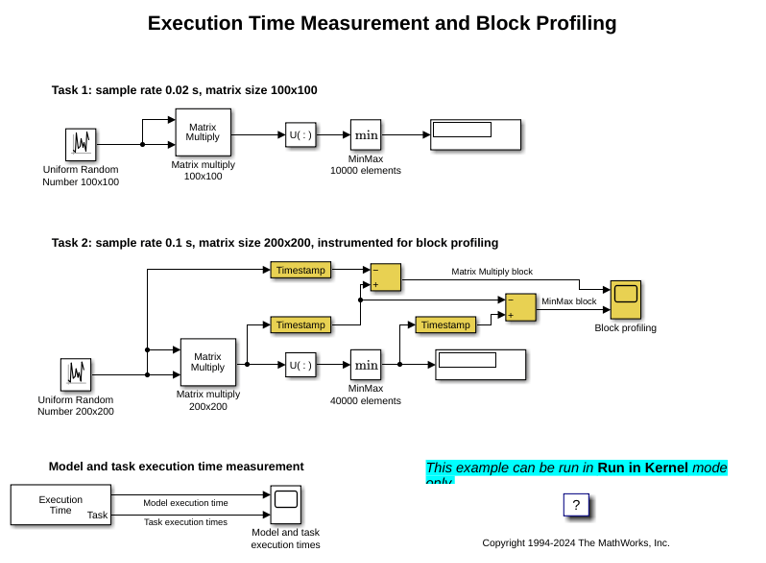
Execution Time Measurement and Block Profiling
Analyze model execution performance in Simulink Desktop Real-Time™.
Ports
Output
Parameters
Programmatic Use: Add Block
To add the block programmatically, use the add_block function with one of these library block paths as the source.
"sldrtlib/Target Profiling/Execution Time"
Example: add_block("sldrtlib/Target Profiling/Execution Time","myModel/myBlock",MakeNameUnique="on")

