String
R2026bBlocks for composing, parsing, and converting string signals, such as
String Constant and String To ASCII
Use blocks from the String library to work with text data in your model as string-valued signals. You can compose formatted strings, parse string content, compare strings, and convert between strings and numeric types.
To add blocks from this library to your model, see Add Blocks to Models.
Blocks
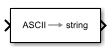 | ASCII to String | Uint8 vector signal to string signal |
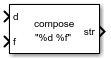 | Compose String | Compose output string signal based on specified format and input signals |
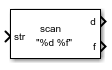 | Scan String | Scan input string and convert to signals per specified format |
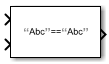 | String Compare | Compare two input strings |
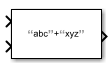 | String Concatenate | Concatenate input strings to form one output string |
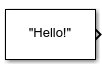 | String Constant | Output specified string |
 | String Contains | Determine if string contains, starts with, or ends with pattern |
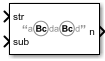 | String Count | Count occurrences of pattern in string |
 | String Find | Return index of first occurrence of pattern string |
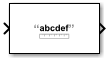 | String Length | Output number of characters in input string |
 | String to ASCII | Convert string signal to uint8 vector |
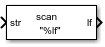 | String to Double | Convert string signal to double signal |
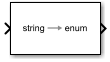 | String to Enum | Input string signal to enumerated signal |
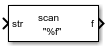 | String to Single | Convert string signal to single signal |
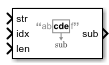 | Substring | Extract substring from input string signal |
 | To String | Convert input signal to string signal |
Tools
| Library Browser | Find and add blocks to model |
Topics
- Add Blocks to Models
Use the Library Browser and quick insert menu to insert blocks.
- Simulink Strings
Use strings in models.

