Variant Inline Components
R2026bWith inline variant blocks, you can represent all design alternatives of a system in a single model. Each design choice is incorporated into the model as a variant choice in a single layer. Such models have a fixed common structure and a finite set of variable components that are activated or deactivated depending on the variant control. You can activate the components automatically or manually.
For example, suppose you want to simulate a model to control the speed of a car windshield wiper by using different rain sensors. You can provide the rain sensor models as inputs to a Variant Source block and then switch between the sensors based on the variant control you select. For more information, see Introduction to Variant Controls.
The code that you generate for the inline variant blocks can contain all the variant choices of a system. You can switch between the choices prior to code compile or at model startup as described in Activate Variant During Different Stages of Simulation and Code Generation Workflow. For information on generating code with inline variant blocks, see Variant Structures (Simulink Coder).
Blocks
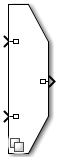 | Variant Source | Route among multiple inputs using variants |
 | Variant Sink | Route amongst multiple outputs using variants |
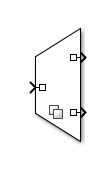 | Variant Start | Define start of bounded region (Since R2024a) |
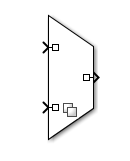 | Variant End | Define end of bounded region (Since R2024a) |
 | Manual Variant Source | Switch between multiple variant choices at input |
 | Manual Variant Sink | Switch between multiple variant choices at output |
Classes
Simulink.VariantUtils | Utility methods to work with variant elements (Since R2023b) |
Functions
enumeration | Class enumeration members and names |
Objects
struct | Structure array |
Simulink.VariantControl | Create variant control variable object |
Simulink.Parameter | Store, share, and configure parameter values |
Simulink.VariantExpression | Specify conditions that control variant selection |
Topics
Configure Variant Controls
- Variant Control Modes in Variant Blocks
Learn how to control variant blocks. - Activate Variant During Different Stages of Simulation and Code Generation Workflow
Use variant activation time to set active choices during different stages of simulation and code generation workflows. - Use Variant Control Variables in Variant Blocks
This topic explains how to use different types of variant control variables in variant blocks. - Define and Configure Variant Sources and Sinks
Represent variant choices using Inline Variants. - Visualize Variant Implementations in a Single Layer
View the variant choices in a model containing Inline Variants. - Provide Variation in Signal Source and Destination Using Manual Variant Source and Manual Variant Sink Blocks
This example shows how to use the inline variant blocks Manual Variant Source and Manual Variant Sink.
Propagate Variant Conditions
- Propagate Variant Conditions to Define Variant Regions with Variant Blocks
Determine active model components by propagating variant conditions using variant blocks. - Propagate Variant Conditions to Define Variant Regions Using Variant Source and Variant Sink Blocks
Propagate variant conditions from the Variant Source and Variant Sink blocks. - Propagate Variant Conditions to Define Variant Regions in Virtual and Nonvirtual Subsystems
Understand variant condition propagation to virtual and non-virtual subsystems. - Variant Elements Within Buses
This example explains how to create buses with elements having different variant conditions. - Propagate Variant Conditions to Control Execution of Conditional Subsystems
Understand how to use Variant Subsystem blocks with conditionally executed systems as variant choices. - Control Variant Condition Propagation Using Bounded Regions and Signal-Level Isolation
Limit the scope of variant condition propagation by confining variant conditions to bounded regions or terminating them at specific signal paths.
Define Variant Control Variables in Workspaces
- Choose and Configure a Workspace for Variant Control Variables of Variant Blocks
Choose the workspace that matches your scoping, activation time, and hierarchy requirements for variant control variables in variant blocks. - Use Base Workspace to Define Globally Accessible Variant Control Variables for Variant Blocks
Control variant choices across models in a MATLAB session by defining variant control variables in the base workspace. - Use Data Dictionary to Define Shared Variant Control Variables for Variant Blocks
Control variant choices across multiple models by defining variant control variables in a data dictionary for version control, team sharing, and traceability. - Use Model Workspace to Define Variant Control Variables Scoped to the Model for Variant Blocks
Control variant choices by defining variant control variables in the model workspace to scope them to a single model so they persist with the model file. - Override Variant Control Variables of Variant Blocks in Simulation Runs
Override variant control variable values for individual simulation runs using a SimulationInput object without modifying persistent workspace or data dictionary values.
Configure Per-Instance Variant Controls
- Use Model Arguments with Fast Restart to Switch Variant Choices Per Instance Without Recompiling for Variant Blocks
Control variant choices per model instance by defining variant control variables as model arguments in a referenced model. - Use Mask Parameters for Per-Instance Variant Control in Variant Blocks
Control variant choices per block instance by defining a mask parameter as the variant control variable and setting its value from the mask dialog box. - Use Mask Parameters with Fast Restart to Switch Variant Choices Without Recompiling for Variant Blocks
Control the active variant choice per block instance without recompiling by using mask parameters as variant control variables with the startup activation time and fast restart. - Use Mask Initialization Code for Per-Instance Variant Control in Variant Blocks
Control active variant choices in a variant block by defining variant control values or mapping mask parameter selections to label names in a mask initialization script. - Use Mask Parameters with Enumeration Classes for Per-Instance Variant Control of a Variant Block in a Locked Library
Control variant choices per block instance in a locked custom library by using mask parameters as variant control variables with enumeration classes in condition expressions. - Use Mask Parameter Object to Control Variant Choices in Masked Variant Assembly Subsystem Block
Control variant choices in a masked Variant Assembly Subsystem block by instantiating subclasses of a shared superclass as the mask parameter object value. - Control Active Choice of Variant Subsystem During Simulation or Execution of Generated Code
Switch the active variant of a Variant Subsystem block during simulation or execution of generated code by using a Parameter Writer block.
Troubleshooting
Transform Model to Variant System (Simulink Check)
Use the Model Transformer tool to transform a model into a variant system.
Featured Examples
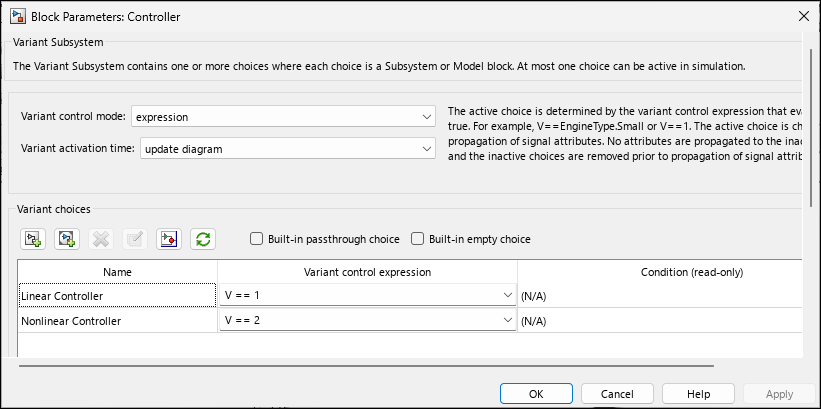
Create a Simple Variant Model
Create a simple model with variant blocks.

