bwvolumefilt
R2026bSyntax
Description
BW3 = bwvolumefilt(BW,range)BW, where the volume of the objects is in the specified
range, producing another volumetric binary image
BW3. The function bwvolumefilt returns a
volumetric binary image BW3 containing only those objects that meet the
criteria.
Examples
Define dimensions for a Volume object.
imSize = [40 40 40];
Create a logical, volumetric image that contains seven spherical objects of radius r. Display the image.
numSeeds = 8;
rng(0);
seedIdx = randi(prod(imSize),numSeeds,1);
BWseeds = zeros(imSize,"logical");
BWseeds(seedIdx) = 1;
r = 7;
BW = imdilate(BWseeds,strel("sphere",r));
volshow(BW)
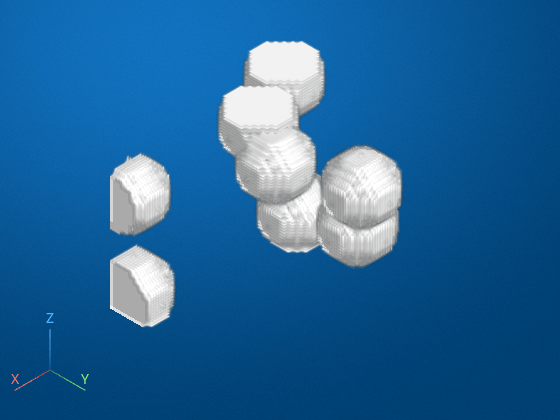
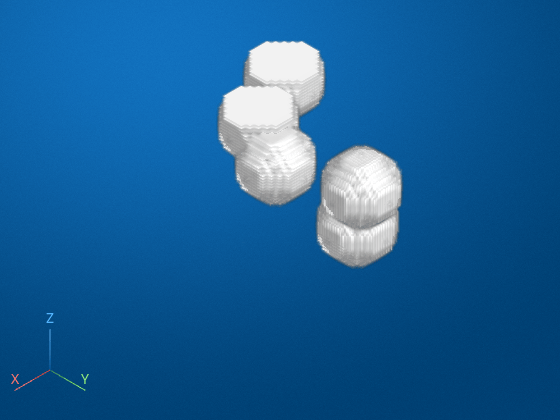
Find the three largest objects by volume, and filter the image. Display filtered image.
BW3 = bwvolumefilt(BW,3);
volshow(BW3)
Input Arguments
Volumetric binary image to be filtered, specified as a logical array.
Data Types: logical
Minimum and maximum values of the volume, specified as a 2-element numeric vector of
the form [low high].
Data Types: single | double | int8 | int16 | int32 | int64 | uint8 | uint16 | uint32 | uint64
Number of objects to include when filtering image objects by size, specified as a positive integer.
Data Types: double
Objects to retain in the output image, specified as "largest" or
"smallest". In the event of a tie for nth
place, bwvolumefilt includes only the first n
objects.
Data Types: char | string
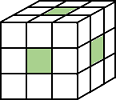
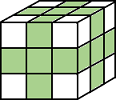
Pixel connectivity, specified as one of these values.
Value | Meaning | |
|---|---|---|
| Pixels are connected if their faces touch. Two adjoining pixels are part of the same object if they are both on and are connected in:
|
Current pixel is center of cube. |
| Pixels are connected if their faces or edges touch. Two adjoining pixels are part of the same object if they are both on and are connected in:
|
Current pixel is center of cube. |
| Pixels are connected if their faces, edges, or corners touch. Two adjoining pixels are part of the same object if they are both on and are connected in:
|
Current pixel is center of cube. |
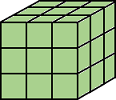
Connectivity can also be defined in a more general way by specifying a
3-by-3-by-3 array of 0s and 1s. The
1-valued elements define neighborhood locations relative to the
center element of conn. The array must be symmetric about its
center element.
Data Types: double | logical
Output Arguments
Tips
bwvolumefiltfilters objects by volume using thebwpropfilt3function.
Extended Capabilities
Version History
Introduced in R2026b

