alignBoundaryPoints
R2026bDescription
Add-On Required: This feature requires the Scenario Builder for Automated Driving Toolbox add-on.
lbsegmentUpdated = alignBoundaryPoints(lbsegment)laneBoundarySegment object lbsegment, and returns an
updated laneBoundarySegment object, lbsegmentUpdated.
Examples
Load lane boundary segment data into the workspace.
data = load("laneBoundarySegmentData.mat","lbsegment");
Display the lane boundary points in the loaded lane boundary segment object.
lbsegment = data.lbsegment
lbsegment =
  laneBoundarySegment with properties:

       BoundaryIDs: [4×1 string]
    BoundaryPoints: {4×1 cell}
      BoundaryInfo: []
     NumBoundaries: 4
         NumPoints: 128
      GeoReference: []
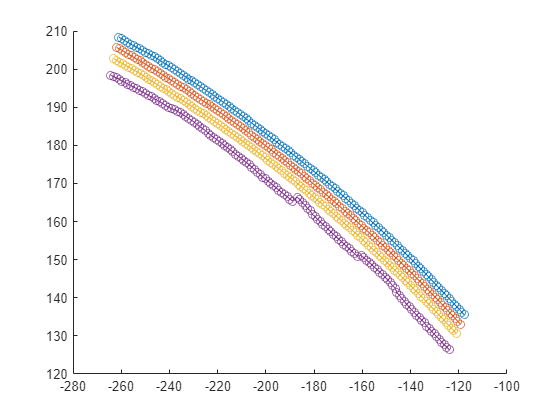
Plot the lane boundary points in the loaded lane boundary segment object.
plot(lbsegment)
Align the lane boundary points in the loaded lane boundary segment object.
lbsegment = alignBoundaryPoints(lbsegment);
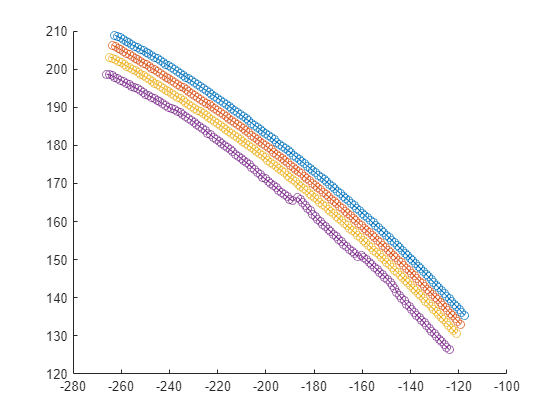
Plot the aligned lane boundaries.
plot(lbsegment)
Input Arguments
Output Arguments
Version History
Introduced in R2024a

