Prettify MATLAB html
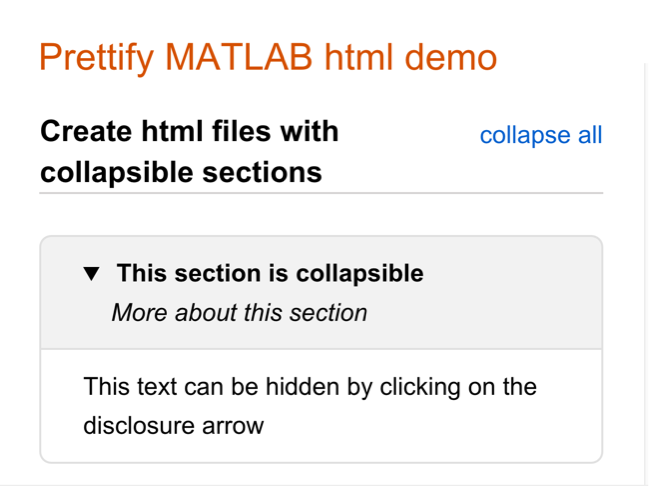
Provides additional features when exporting .m files to html using MATLAB's "publish" feature

You are now following this Submission
- You will see updates in your followed content feed
- You may receive emails, depending on your communication preferences
Editor's Note: This file was selected as MATLAB Central Pick of the Week
Cite As
Harry Dymond (2026). Prettify MATLAB html (https://se.mathworks.com/matlabcentral/fileexchange/78059-prettify-matlab-html), MATLAB Central File Exchange. Retrieved .
General Information
- Version 6.9.0 (1.36 MB)
MATLAB Release Compatibility
- Compatible with R2016b and later releases
Platform Compatibility
- Windows
- macOS
- Linux
| Version | Published | Release Notes | Action |
|---|---|---|---|
| 6.9.0 | Fixed bug in processing of page-internal links |
||
| 6.8.0 | -- Added support for UTF-8-encoded HTML files, as generated by newer versions of MATLAB
|
||
| 6.7.0 | -- Changed html implementation of [brx] tags for better cross-browser support
|
||
| 6.6.0 | Updated description |
||
| 6.6.0-0 | -- Improved error handling, including display of name of file being processed, if warnings and/or errors occur
|
||
| 6.5.0 | Details boxes now open automatically if they are closed and the user clicks an internal page link that links to the box |
||
| 6.4.1 | Fixed bug that could occur when <tt> tags are replaced by <code> tags (HTML5 validation fix) |
||
| 6.4.0 | - Now allows negative values for the [brx] tag
|
||
| 6.2.0 | Fixed bug when processing nested [class.<class name>] tags |
||
| 6.1.0 | Fixed bug when processing <style></style> tags in embedded html |
||
| 6.0.0 | - Fixed html 5 compliance issues, some due to the built-in publish, and some due to prettify
|
||
| 5.1.1 | - Fixed upload issue |
||
| 5.1.0 | - Improved floating back button functionality when page is viewed on MATLAB Central
|
||
| 5.0.1 | Updated documentation to recommend that when creating in-page links to [dtls] boxes, the [targetn] tag should be placed immediately before the opening [dtls] tag. |
||
| 5.0.0 | - Adds a "return" floating button/link when user follows an in-page link (but not if page is viewed in MATLAB help browser)
|
||
| 4.5.0 | If pages are viewed in the "Examples" tab on MATLAB Central:
|
||
| 4.4.0 | Now includes version number of prettify_MATLAB_html in the footer link |
||
| 4.3.0 | - No longer creates extra space after monospaced text (e.g. |text| ) that is wrapped in [class], [scale], or [colour] tags
|
||
| 4.2.0 | - Fixed issue with collapse-all/expand-all links in help browser of recent versions of MATLAB
|
||
| 4.1.0 | - Improved syntax checking for [dtls] tags
|
||
| 4.0.0 | - Enables nesting of [dtls] boxes
|
||
| 3.14.0 | - Improved error handling
|
||
| 3.11.0 | Better handling of malformed syntax in the source .m file |
||
| 3.10.0 | Fixed bug associated with [frameBufferx] tag |
||
| 3.9.1 | Minor documentation tweaks |
||
| 3.9.0 | Added [frameBufferx] tag to work around issue of MATLAB central miscalculating height of document |
||
| 3.8.0 | Fixed bug with "collapse/expand all" controls for pages with ten or more sections |
||
| 3.7.1 | Minor code tidy |
||
| 3.7.0 | - Added "built-in" publish CSS classes (see end of .m file for list) as valid when using the [class.class-name] tag (but these won't be in the pop-up list when the "class" Toolbar button is pressed.)
|
||
| 3.6.0 | - Fixed bug when multiple images appear inside [dtls] sections
|
||
| 3.5.0 | - Improved enclosing of inline html into [dtls] sections (again)
|
||
| 3.4.0 | - Fixed bug with "collapse/expand all on page" link when page has no sections
|
||
| 3.3.0 | - Added support for nesting of css classes e.g. [class.a][class.b]this item will be formatted according to css classes a and b[/class][/class]
|
||
| 3.2.0 | - Improved method of assigning classes and styles |
||
| 3.1.0 | - Added workaround for MATLAB central miscalculating page height |
||
| 3.0.0 | - Added support for new tags: [cssClasses], [class.class-name], [scalex], [colour#], [themesEnabled], and [darkAlt]
|
||
| 2.0.0 | - Added method for adding shortcuts to Quick-Access Toolbar, that then allow easy adding of tags to source .m file
|
||
| 1.1.0 | - Improved method of closing [dtls] sections
|
||
| 1.0.0 | First release |
||
| 0.0.0 |

