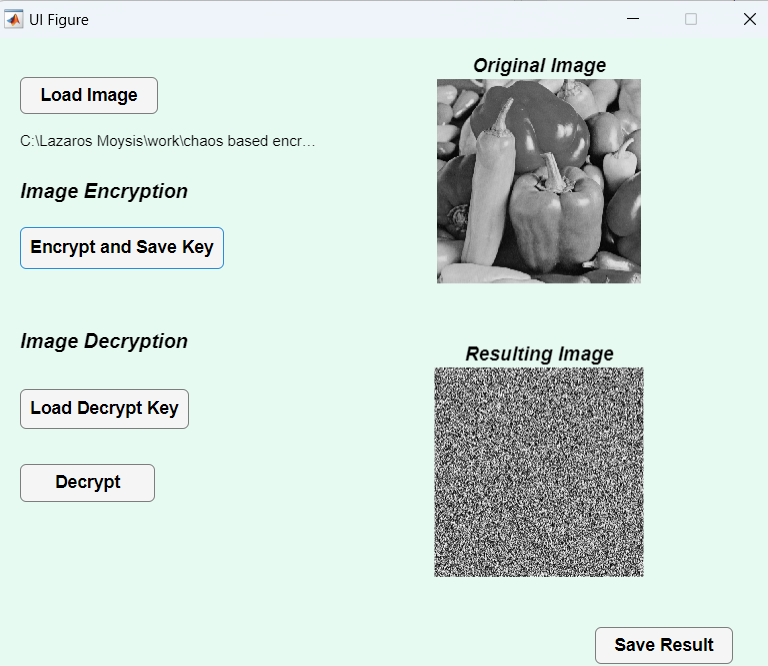
GUI for Chaotic Image Encryption
Version 1.0.2 (5.52 KB) by
Lazaros Moysis
This Graphical User Interface implements a chaos based encryption algorithm for image encryption

This GUI implements a chaos based image encryption algorithm. If you use this code, please cite the following work:
Moysis, L., Kafetzis, I., Tutueva, A., Butusov, D., & Volos, C. (2022). Chaos-Based Image Encryption Based on Bit Level Cubic Shuffling. In Cybersecurity: A New Approach Using Chaotic Systems (pp. 157-191). Cham: Springer International Publishing.
The GUI works as this:
Encryption:
- Load the image you want to encrypt
- Press Encrypt and Save key
- The image in encrypted, and you get automatically prompted to save the encryption key in a .txt file
- You can then save your encrypted image
Decryption
- Load the image you want to decrypt
- Load the decryption key
- Choose the Decryption option
- You can now save your decrypted image.
The encryption method is implemented from the paper above.
Remember, save the images in png format.
Video explaining the GUI is available here:
Lazaros Moysis
Youtube channel
The GUI was developed by Ioannis Kafetzis.
X: @IoKaf
Cite As
Lazaros Moysis (2026). GUI for Chaotic Image Encryption (https://se.mathworks.com/matlabcentral/fileexchange/159166-gui-for-chaotic-image-encryption), MATLAB Central File Exchange. Retrieved .
MATLAB Release Compatibility
Created with
R2023b
Compatible with any release
Platform Compatibility
Windows macOS LinuxTags
Acknowledgements
Inspired: GUI - Circular Shifts for Efficient Chaotic Image Encryption, Chaotic image encryption based on bit level cubic shuffle
Discover Live Editor
Create scripts with code, output, and formatted text in a single executable document.
