Sign
R2026bIndicate sign of input
Sign block

To add a block to a model, double-click the canvas and start typing the block name. Then, select the block from the list.
Libraries:
Simulink /
Math Operations
HDL Coder /
HDL Floating Point Operations
HDL Coder /
Math Operations
Description
For real inputs, the Sign block outputs the sign of the input:
| Input | Output |
|---|---|
| Greater than zero | 1 |
| Equal to zero | 0 |
| Less than zero | –1 |
When the input u is a complex scalar, the block output matches the
MATLAB® result for:
sign(u) = u./ abs(u)
| (1) |
Examples
This example shows how, for vector and matrix inputs, the block outputs a vector or matrix where each element is the sign of the corresponding input element.
model='ex_sign_block_matrix_input_real.slx';
open_system(model)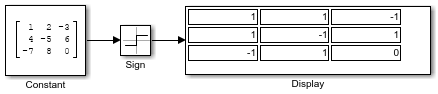
This example shows how, when an element of a vector or matrix input is complex, the block uses the same formula that applies to scalar input.
model='ex_sign_block_matrix_input_complex.slx';
open_system(model)
Extended Examples
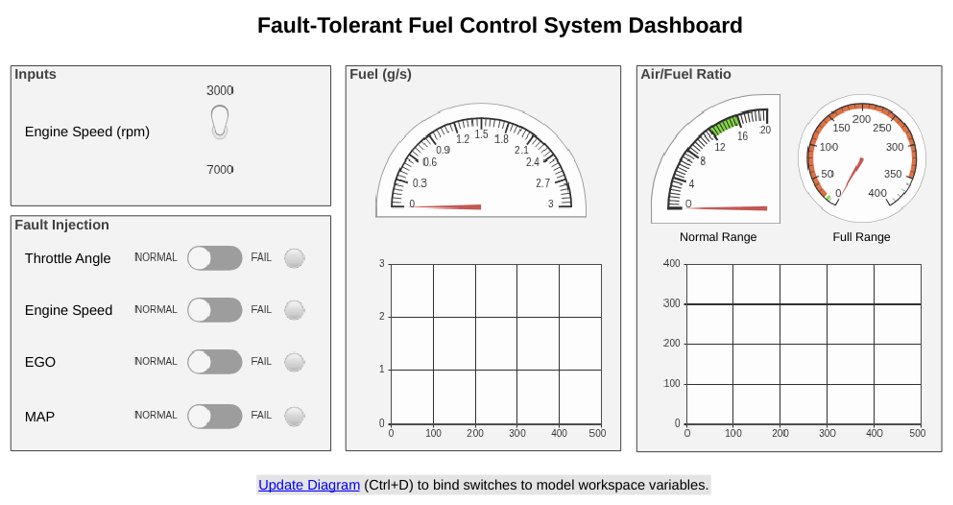
Model Fault-Tolerant Fuel Control System
Combine Stateflow® and Simulink® capabilities to model hybrid systems. This type of modeling is useful for systems that have many possible operational modes based on discrete events. Simulink handles traditional signal flow while Stateflow implements changes in control configuration. This example describes a fuel control system for a gasoline engine. The system is robust because it detects individual sensor failures, and dynamically reconfigures the control system for uninterrupted operation.
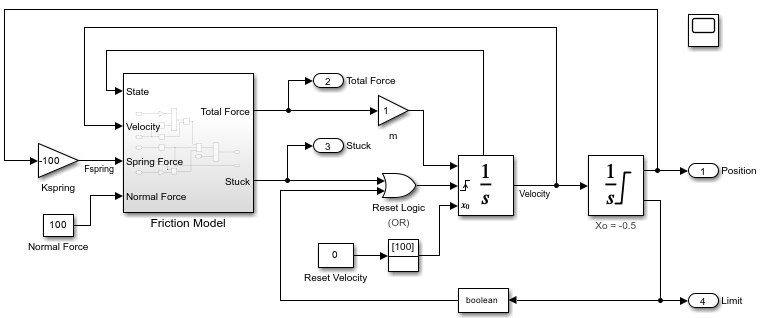
Model Stick-Slip Friction and Hard Stops in Mass-Spring-Damper System
One way you can incorporate hard stops and friction changes from stick-slip motion into a mass-spring-damper model.
Ports
Input
Output
Parameters
Block Characteristics
Data Types |
|
Direct Feedthrough |
|
Multidimensional Signals |
|
Variable-Size Signals |
|
Zero-Crossing Detection |
|
Programmatic Use: Add Block
To add the block programmatically, use the add_block function with one of these library block paths as the source.
"simulink/Math Operations/Sign"
"hdlsllib/HDL Floating Point Operations/Sign"
"hdlsllib/Math Operations/Sign"
Example: add_block("simulink/Math Operations/Sign","myModel/myBlock",MakeNameUnique="on")
For information about programmatic access to individual block parameters, see the Programmatic Use section of parameter descriptions on this page.
Extended Capabilities
Version History
Introduced before R2006a

