FRTB-SA Analyzer
R2026bUse FRTB-SA framework to compute and analyze market risk capital charges
Since R2026b
Description
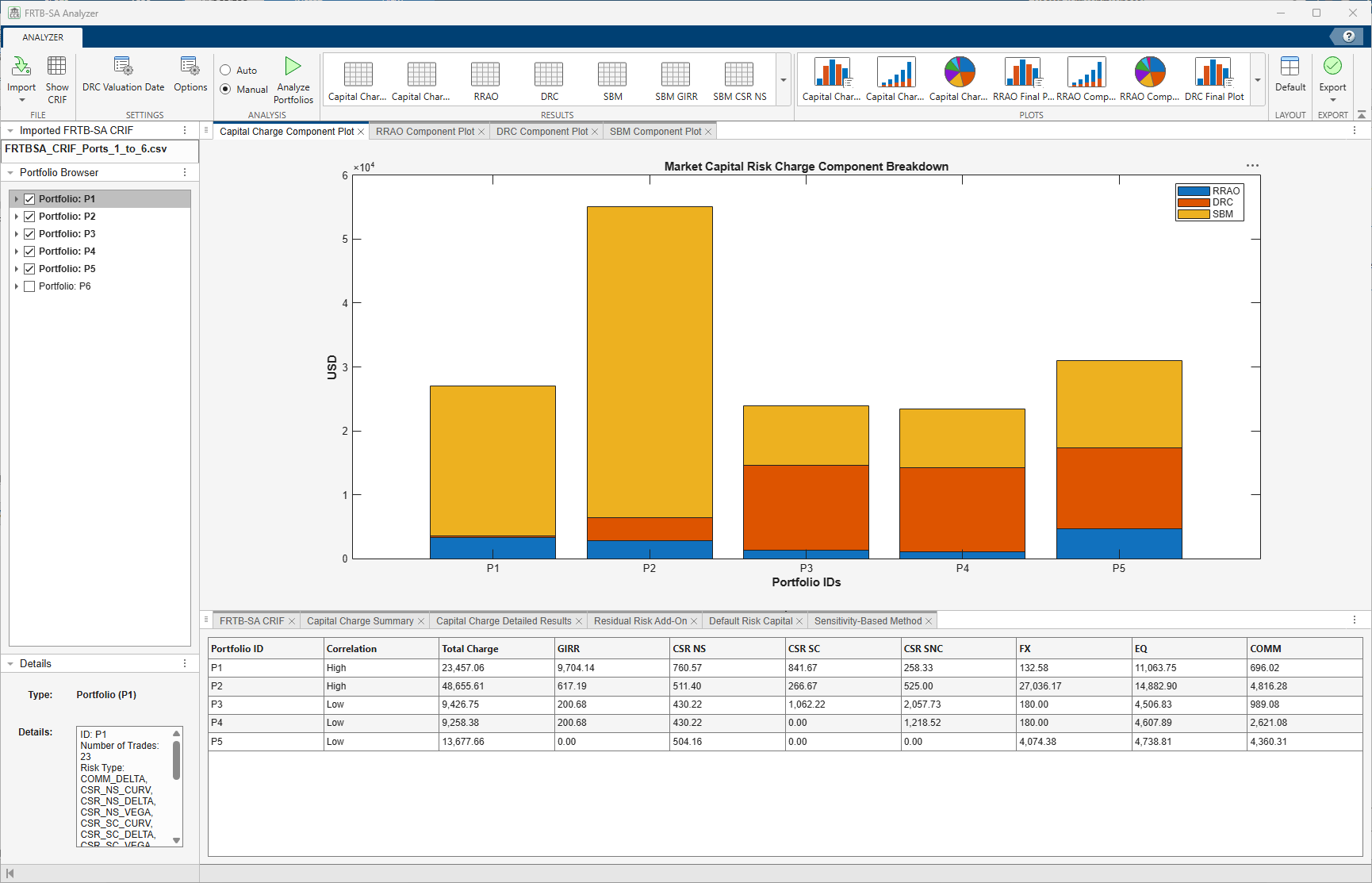
The FRTB-SA Analyzer app provides an interface for interactive exploratory data analysis. The interface supports analysis of market risk capital charges and the associated underlying components for the sensitivities-based method (SBM), default risk charge (DRC), and residual risk add-on (RRAO).
Using the app, you can:
Import FRTB-SA data from an ISDA® FRTB-SA CRIF file or an
frtbsaobject.View and define analysis settings, including the DRC valuation date, FRTB-SA regulation, and number of days in a year.
Compute and analyze total market risk capital charges, SBM, DRC, and RRAO results.
Export results and plots for the total market risk capital charges, SBM, DRC, and RRAO.
Export the portfolios to an
frtbsaobject.
Open the FRTB-SA Analyzer App
MATLAB® Toolstrip: On the Apps tab, under Computational Finance, click the app icon .
MATLAB command prompt: Enter
frtbsaAnalyzer.
Examples
Import an FRTB-SA CRIF file to the FRTB-SA Analyzer app, select three portfolios from the file, and then compare those three portfolios.
From the MATLAB® Toolstrip on the Apps tab, under Computational Finance, click the app icon  . Alternatively, from the MATLAB Command Window, enter
 frtbsaAnalyzer.
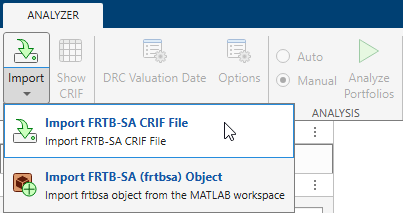
From the File section of the app toolbar, click the drop-down menu under the Import  button and select Import FRTB-SA CRIF File.
Use the FRTB-SA CRIF File Selector to select the FRTBSA_CRIF_Ports_1_to_6.csv FRTB-SA CRIF file, which is attached to this example in the current folder, and then click Open. The FRTB-SA CRIF file displays in the FRTB-SA CRIF tab in the Results pane of the main app window.

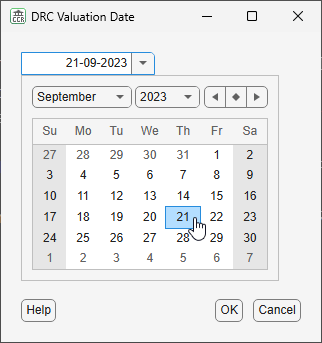
This CRIF file includes several DRC entries. Choose a DRC valuation date of September 21, 2023 (21-09-2023), for these entries using the DRC Valuation Date  dialog box. You can type the date directly into the text box or reveal a date picker by clicking the down arrow
  .
.
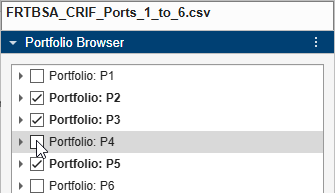
Begin the analysis by clicking the Analyze Portfolios  button in the Analysis section of the app toolbar. The app analyzes the first five of the six portfolios. To analyze only portfolios
 P2, P3, and P5, deselect the check boxes for portfolios P1 and P4 in the Portfolio Browser pane.
Redo the analysis for only portfolios P2, P3, and P5 by again clicking the Analyze Portfolios  button. The app produces these results in the Plots and Results panes:
Plots Pane | Results Pane |
|---|---|
• Capital Charge Component Plot • RRAO Component Plot • DRC Component Plot • SBM Component Plot | • FRTB-SA CRIF • Capital Charge Summary • Capital Charge Detailed Results • Residual Risk Add-On • Default Risk Capital • Sensitivity-Based Method |
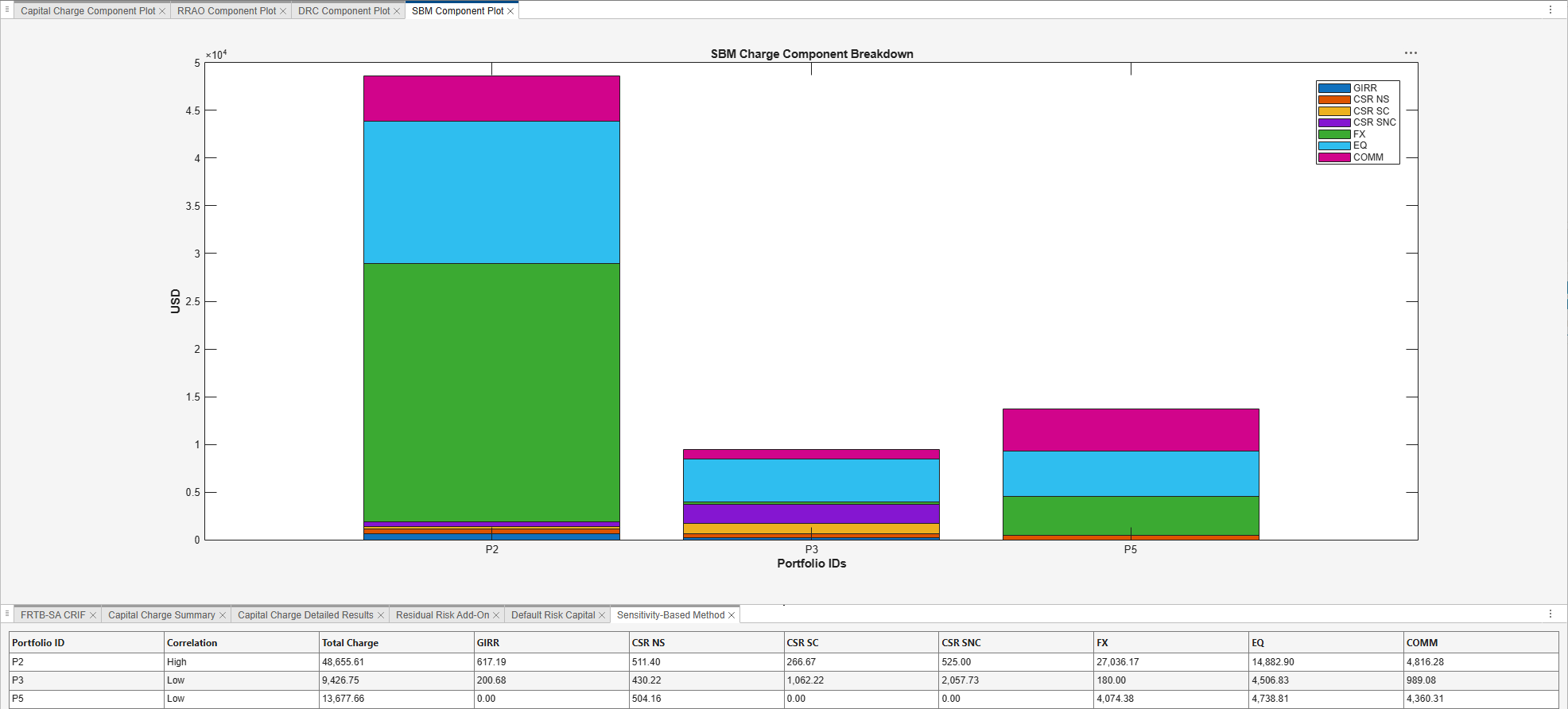
Customize the regulation and number of days per year when analyzing portfolios using the FRTB-SA Analyzer app.
Open the FRTB-SA Analyzer app and import the FRTBSA_CRIF_Ports_1_to_6_CRR2.csv file, which is attached to this example.
This CRIF file adheres to the CRR2 Regulation. Specify the CRR2 Regulation, number of days per year, and maximum number of portfolios to analyze using the Options  dialog box.
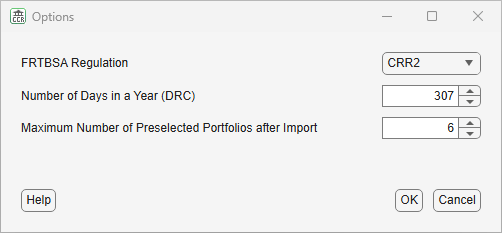
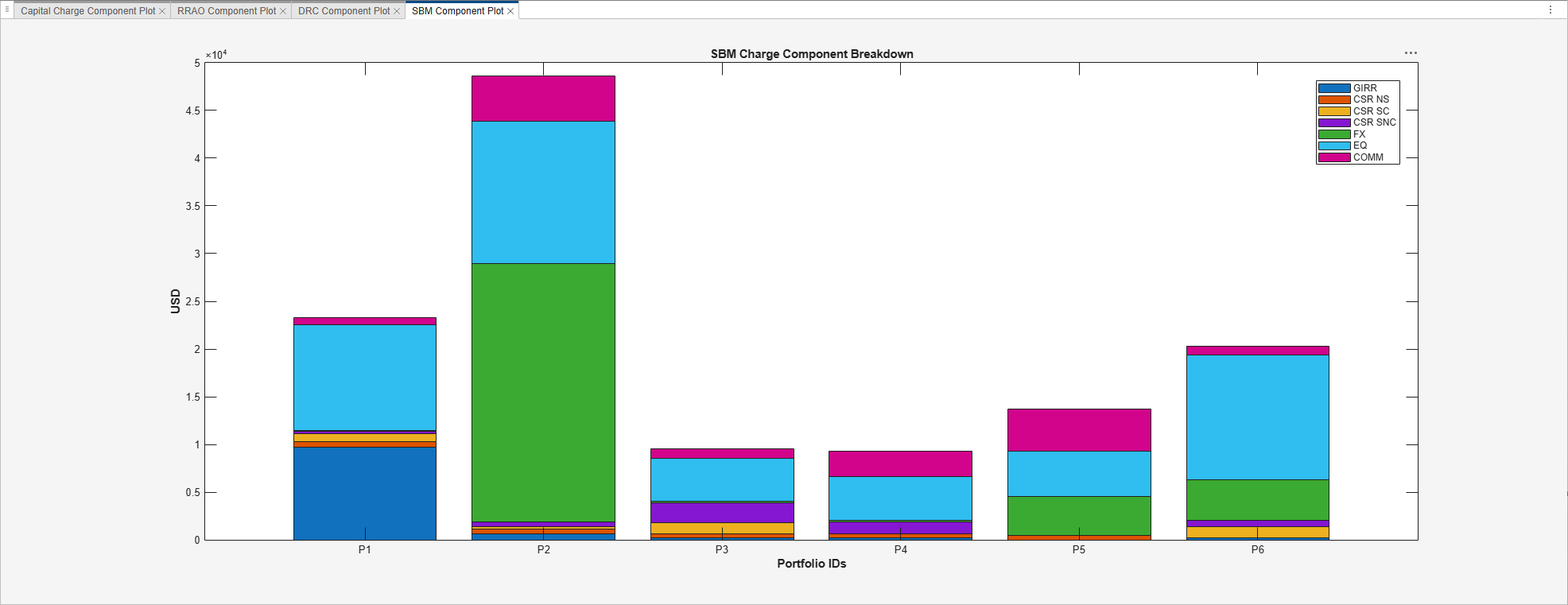
This CRIF file also includes several DRC entries. Choose a DRC valuation date of September 21, 2023 (21-09-2023), for these entries using the DRC Valuation Date  dialog box.
Analyze all portfolios by clicking the Analyze Portfolios  button.
Related Examples
Parameters
More About
Version History
Introduced in R2026b

